



General contractors operate differently than specialty trades. Rather than absorbing direct labor risk, a GC acts as a financial clearinghouse—balancing upstream cash collections from project owners against downstream liabilities to trade partners. You act as a short-term lender on commercial jobs, funding project mobilization and floating operations for weeks before owner requisitions clear.
Standard bookkeeping software buckles under these demands because it lacks the guardrails to handle sub-tier compliance, retainage withholdings, and AIA progress billing. If your accounting system cannot automatically freeze a payment to a subcontractor with an expired insurance policy, you are absorbing massive legal and financial exposure.
We evaluated general contractor accounting software based on its ability to protect prime contractors from sub-tier liability and cash flow gaps. For a complete breakdown of our evaluation criteria, see our detailed methodology.
This guide is for general contractors ($10M to $500M+ in annual revenue) managing sub-tier compliance, formal owner progress billings, and complex project risk.
Top Accounting Software for General Contractors
| Company | Best For | Learn More |
|---|---|---|

Sage 100
|
Mid-market general contractors ($10M–$50M revenue) | |

CrewCost
|
Modern, growing general contractors ($5M–$250M+ revenue) | |
Premier
|
Mid-market to enterprise general contractors ($10M–$500M+) | |
Deltek ComputerEase
|
GCs who self-perform a significant portion of their work |
*We may earn a commission when you click through these links.
Key Takeaways
- For strict sub-tier compliance: Platforms like Sage 100 Contractor and Deltek ComputerEase enforce automated accounts payable holds for expired insurance and missing lien waivers, stopping payments to non-compliant subcontractors before the check is cut.
- For growing mid-market firms: Modern, cloud-native ledgers like CrewCost deliver built-in AIA billing and unlimited user access, allowing GCs to bring project managers into the financial loop without expensive per-seat licenses.
- For all-in-one PM and accounting: General contractors wanting to eliminate third-party API bridges often use Premier Construction Software to handle everything from RFIs to complex owner draw schedules in a single database.
- For large multi-entity developers: Firms scaling past $50M with complex corporate structures and intercompany transfers typically require a dimensional ledger like Sage Intacct Construction to automate month-end consolidations.
- What to look for: Evaluate systems based on how they handle conditional lien waivers, automated AP holds, and AIA owner draw synchronization—see our buying guide for the exact workflows your software must execute.s that most commonly derail new system rollouts.
Table of Contents
General Contractor Accounting Software Reviews
Selecting the right general contractor accounting software means balancing core general ledger functionality with specialized construction features: retainage tracking, sub-tier compliance verification, and percentage-of-completion job costing. Mid-market general contractors operate in a complex ecosystem where financial precision dictates business solvency. Horizontal accounting packages handle basic income statements and balance sheets just fine, but general contractors need platforms capable of enforcing operational risk controls across multi-million dollar job sites.
In modern commercial construction, many firms separate field operations from back-office accounting. A common approach is deploying specialized construction project management software like Procore or Buildertrend as a field overlay to process subcontracts, RFIs, and submittals. These project management tools then push only fully vetted and approved pay applications, change orders, and direct costs into the core general ledger.
Sage 100 Contractor
Best For
Mid-market general contractors ($10M–$50M revenue) looking for the safest, most reliable upgrade path out of QuickBooks to gain native sub-tier compliance controls.
Deployment Model
On-Premise or Hosted (via third-party cloud provider)
Cost
~$2,500–$4,000 per user/year (Varies by module and hosting fees)
Key Advantage
Ironclad, out-of-the-box accounts payable compliance holds that prevent checks from being cut to non-compliant subcontractors.
Primary Limitation
The core database and user interface are legacy desktop architecture, meaning it lacks the modern, browser-based feel of newer SaaS competitors.
Compliance & Risk Engine
Native (Robust AP holds for COIs, licenses, and lien waivers).
Overview
For decades, Sage 100 Contractor (formerly Master Builder) has been the default landing pad for general contractors who have finally outgrown QuickBooks. When a GC scales past $10 million in revenue, the financial risk of accidentally paying a subcontractor with an expired workers’ comp policy becomes catastrophic. Sage 100 is built specifically to put rigid, automated guardrails around that accounts payable process.
While newer cloud platforms get more attention for their sleek interfaces, Sage 100 remains dominant because it does the unglamorous work of construction accounting perfectly. It forces your back-office team to follow strict compliance rules, protecting the firm’s working capital and legal liability.
Pros and Cons
Pros:
- Implements hard AP stops for expired insurance, missing lien waivers, and unapproved change orders.
- Generates excellent, highly accurate Work-in-Progress (WIP) schedules natively.
- Deeply familiar to construction CPAs, making year-end audits and tax prep highly efficient.
Cons:
- The reporting engine can be rigid, often requiring third-party tools (like Liberty Reports) to extract custom data easily.
- Not a true cloud-native application; requires either local servers or a paid third-party hosting service to access remotely.
Core Database & Financial Architecture
Sage 100 operates on a traditional, highly structured relational database. Unlike generic accounting tools that allow users to delete transactions, Sage requires formal reversing journal entries to fix mistakes. This strict audit trail is exactly what construction CFOs and external auditors want. The system tightly binds the general ledger to the job cost ledger, ensuring that estimated budgets always reconcile against actual expenditures.
General Contractor-Specific Workflows
- Sub-Tier Compliance & AP Holds: This is the platform’s bread and butter. You enter a subcontractor’s General Liability and Workers’ Comp expiration dates into their vendor file. If a project manager tries to approve a pay app for a sub with an expired COI, Sage 100 throws a hard stop and refuses to generate the check until the new certificate is logged.
- Owner Billing & Lien Waivers: Natively generates standard AIA G702/G703 progress billings. The system can be configured to automatically generate conditional lien waivers alongside outbound payments, and track the return of unconditional waivers before releasing the next month’s draw.
Integrations & Connectivity
Because of its massive market share, almost every major construction tech product integrates with Sage 100. It features a reliable API that connects directly to Procore, Buildertrend, and standardized estimating software. However, the sync requires the Sage API module and sometimes relies on batch syncing rather than instantaneous webhooks.
Total Cost of Ownership & Implementation
Licensing scales by concurrent user seats and specific modules (like equipment or service receivables). Expect to pay between $15,000 and $30,000 in your first year when combining software, implementation consulting, and cloud hosting fees. Data migration from QuickBooks is typically straightforward due to well-established data-scrubbing templates used by Sage integrators.
CrewCost
Best For
Modern, growing general contractors ($5M–$250M+ revenue) that rely heavily on third-party PM tools (like Procore or Contractor Foreman) and want a clean, cloud-native ledger with unlimited users.
Deployment Model
Cloud-Native (Web Browser & Mobile App)
Cost
$599 per month
Key Advantage
A disruptive, flat-rate pricing model that includes unlimited user access, allowing GCs to bring their entire project management team into the financial loop without per-seat penalties.
Primary Limitation
Lacks the hyper-granular, automated AP compliance holds and deep multi-entity consolidation features found in legacy enterprise ERPs.
Compliance & Risk Engine
Basic (Tracks compliance dates natively, but relies on PM integrations for advanced waiver automation).
Overview
CrewCost is a rapidly growing disruptor for mid-market general contractors who are tired of legacy, on-premise servers. Historically, GCs had to choose between generic software (QuickBooks) or expensive, per-user ERPs (Sage/Viewpoint). CrewCost offers a third path: a modern, browser-based general ledger built explicitly for construction, at a flat monthly rate.
For a GC, the value of “unlimited users” is massive. It means you can invite every superintendent, project manager, and estimator into the system to view real-time budget-vs-actuals on their specific jobs without exposing the corporate P&L or paying $2,000 per extra license.
Pros and Cons
Pros:
- True cloud-native architecture provides seamless access from the office or the job site.
- Generates real-time WIP schedules and handles ASC 606 revenue recognition natively.
- Deploying a pre-configured construction Chart of Accounts drastically reduces implementation time.
- Eliminates the financial friction of adding new back-office staff due to flat-rate pricing.
Cons:
- Sub-tier compliance tracking is manual compared to the automated hard-stops of older enterprise systems.
- Does not support complex multi-entity/intercompany automatic eliminations for GCs with massive real estate development arms.
Core Database & Financial Architecture
CrewCost handles core double-entry accounting on a modern, cloud-native database. It connects directly to business bank accounts for automated daily reconciliations and uses a pre-built construction chart of accounts to speed up deployment. The architecture is designed to provide real-time financial visibility rather than acting purely as a historical archiving tool, allowing CFOs to catch margin fade mid-project.
General Contractor-Specific Workflows
- Sub-Tier Compliance & AP Holds: CrewCost allows you to track vendor COI expiration dates and 1099 statuses natively. However, for complex conditional/unconditional lien waiver generation and hard AP stops, most GCs using CrewCost will rely on their connected project management software to handle the legal document exchange before pushing the approved invoice to CrewCost for payment.
- Owner Billing & Lien Waivers: Generating an AIA progress bill is streamlined. Project managers input the percentage complete, and CrewCost automatically calculates the retainage, drafts the G702/G703, and isolates the retainage receivable into the correct contract asset account.
Integrations & Connectivity
CrewCost is built with an open API philosophy. It is designed to act as the financial anchor of a modern “best-of-breed” tech stack. It pairs exceptionally well with field management platforms and specialized lien waiver/compliance tools, allowing the GC to construct a tailored software ecosystem rather than being locked into a single vendor’s ecosystem.
Total Cost of Ownership & Implementation
At $599 per month for unlimited users, CrewCost offers arguably the highest immediate ROI for growing GCs looking to escape QuickBooks. While you may still need to pay for a connected PM tool to handle heavy sub-tier compliance, the combined total cost of ownership is often significantly lower than a legacy ERP subscription.
Premier Construction Software
Best For
Mid-market to enterprise general contractors ($10M–$500M+ revenue) seeking a true all-in-one cloud platform that perfectly balances deep financial accounting with robust project management.
Deployment Model
True Cloud (SaaS)
Cost
~$10,000–$25,000+/year (Per-user tiers)
Key Advantage
Combines heavy-duty financial accounting (including multi-entity) with enterprise-grade project management (drawing control, RFIs, submittals) in a single, modern database.
Primary Limitation
The PM features, while excellent, do not have the universal sub-tier adoption of Procore, meaning you may have to train your subcontractors to use Premier’s vendor portal.
Compliance & Risk Engine
Native (Automated lien waivers, COI tracking, and sub-tier portal).
Overview
Most modern general contractors operate with a fragmented tech stack: they use Procore for project management and Sage for accounting, spending thousands of dollars maintaining the API bridge between them. Premier Construction Software exists to eliminate that bridge.
Premier is a true cloud ERP built specifically for GCs and developers. It is unique because its project management capabilities (RFIs, submittals, drawing markups) are just as modern and capable as its financial engine. For a GC wanting to consolidate their software subscriptions and ensure that field change orders immediately hit the WIP schedule without sync errors, Premier is a top-tier choice.
Pros and Cons
Pros:
- True single-database design eliminates the need for expensive API integrations between PM and Accounting software.
- Excellent, automated lien waiver generation and sub-tier compliance tracking.
- Beautiful, modern user interface that field teams actually enjoy using.
- Strong multi-entity capabilities for GCs who also act as developers.
Cons:
- Subcontractors are less familiar with Premier’s vendor portal than industry giants like Procore, requiring minor onboarding efforts for your trade partners.
- Pricing scales by user, meaning it can become expensive if you try to give access to hundreds of external sub-tier vendors.
Core Database & Financial Architecture
Premier is built on a modern SaaS architecture. It handles complex multi-company consolidations and intercompany journal entries seamlessly. The general ledger updates in real-time as field teams approve pay applications or process change orders, giving the CFO an instantaneous view of cash flow and job profitability without waiting for batch syncs.
General Contractor-Specific Workflows
- Sub-Tier Compliance & AP Holds: Premier features an excellent vendor portal. Subcontractors log in to submit their pay apps and upload their updated COIs. If an insurance policy is expired, Premier automatically blocks the subcontractor from submitting the invoice, stopping compliance risks before they even reach your back office.
- Owner Billing & Lien Waivers: The platform fully automates the lien waiver process. It generates conditional waivers upon invoice submission and demands unconditional waivers upon payment. It also natively handles complex owner draw schedules, easily exporting to standard AIA formats.
Integrations & Connectivity
Because Premier is an all-in-one ERP, the need for third-party integrations is vastly reduced. However, it does feature a robust API and integrates natively with major corporate banking portals, specialized estimating software, and automated corporate tax platforms.
Total Cost of Ownership & Implementation
Licensing scales based on user tiers, typically landing between $10,000 and $25,000+ annually for mid-market GCs. Implementation is generally faster and smoother than legacy systems due to Premier’s modern architecture and dedicated implementation team, though standardizing your cost codes to CSI MasterFormat prior to launch is highly recommended.
Deltek ComputerEase

Best For
General contractors ($10M–$50M revenue) who self-perform a significant portion of their work (concrete, carpentry) and need strong GC compliance mixed with heavy labor tracking.
Deployment Model
Cloud-hosted (via Deltek Cloud) or On-Premise
Cost
Custom Enterprise Quote (Typically $15,000–$30,000/year based on user licensing)
User Capacity
Enterprise scale
Key Advantage
Highly intuitive Work-In-Progress (WIP) Center that gives financial controllers instant, drill-down visibility into over/under-billings across a massive project portfolio.
Primary Limitation
The user interface and mobile apps lack the consumer-grade polish of newer SaaS platforms.
Compliance & Risk Engine
Native (Strong AP holds, lien waiver tracking, and compliance reporting).
Overview
While often favored by specialty trades and subcontractors for its payroll engine, Deltek ComputerEase is a highly capable general contractor platform—especially for GCs who self-perform specific scopes of work. If your firm acts as a pure construction manager on some jobs, but self-performs the concrete foundation and framing on others, you need a system that can handle both sub-tier compliance and direct labor burden simultaneously.
ComputerEase delivers exactly that. It provides the financial guardrails necessary to manage complex owner draw schedules while ensuring your self-performed labor costs don’t silently erode your project margins.
Pros and Cons
Pros:
- The WIP Center is arguably the best out-of-the-box reporting tool in the industry for identifying margin fade.
- Excellent balance of sub-tier AP compliance features with native payroll processing.
- Seamless integration of standard AIA billing formats and retainage management.
Cons:
- Field apps for daily logs and time entry are functional but feel dated compared to modern PM tools.
- Customizing standard reports can be clunky without help from customer support or a consultant.
Core Database & Financial Architecture
ComputerEase runs on a highly stable relational database tailored explicitly for construction accounting. It tightly links the project management modules (subcontracts, change orders) directly to the general ledger, ensuring that committed costs are instantly reflected in the WIP schedule before the actual invoices arrive.
General Contractor-Specific Workflows
- Sub-Tier Compliance & AP Holds: ComputerEase tracks all essential vendor compliance data (insurance expirations, W-9s, business licenses). It effectively utilizes AP holds to freeze payments to non-compliant trades, protecting the GC from downstream liability.
- Owner Billing & Lien Waivers: Generates AIA G702/G703 pay applications flawlessly. The system tracks both conditional and unconditional lien waivers, allowing the AP department to run reports on missing waivers before executing the weekly check run.
Integrations & Connectivity
ComputerEase supports robust integration pathways. It connects smoothly with industry-standard estimating platforms, allowing for one-click budget imports. It also integrates seamlessly with Procore, allowing GCs to manage submittals and drawings in Procore while keeping the financial ledger locked securely inside ComputerEase.
Total Cost of Ownership & Implementation
Pricing is quote-based and scales with concurrent users. Implementation typically takes 3 to 6 months. For GCs who self-perform work, it is highly recommended to align the “go-live” date with January 1st to ensure clean statutory tax limits and W-2 reporting.
Sage Intacct Construction
Best For
Large general contractors and real estate developers ($50M+ revenue) that manage multiple LLCs, joint ventures, and complex intercompany transfers.
Deployment Model
True Cloud (SaaS)
Cost
~$15,000–$35,000+/year (Tiered by modules and entities)
Key Advantage
A best-in-class dimensional general ledger that executes complex multi-entity consolidations and intercompany eliminations in seconds.
Primary Limitation
Relies almost entirely on third-party integrations (like Procore) for field operations and project management.
Compliance & Risk Engine
Native (Advanced sub-tier controls and highly customizable compliance workflows).
Overview
Sage Intacct Construction is a financial powerhouse. Built by merging Sage’s decades of construction accounting logic with Intacct’s proven cloud enterprise ledger, it is designed for GCs with highly complex corporate structures.
If your enterprise operates a primary general contracting firm, an equipment holding LLC, and multiple joint-venture development groups, Sage Intacct is built for you. Its architecture is explicitly designed to eliminate the manual reconciliation of due-to/due-from journal entries across different tax IDs. For a GC’s CFO, the primary value proposition is drastically shortening the month-end financial close.
Pros and Cons
Pros:
- The dimensional general ledger allows for infinite slicing and filtering of financial data across regions, project managers, or entities.
- Continuous multi-entity consolidation eliminates days of manual spreadsheet work at month-end.
- Exceptional ASC 606 compliance and real-time WIP schedule generation.
Cons:
- Field operations rely heavily on third-party integrations; organizations will almost certainly need to pay for a connected PM tool like Procore.
- Pricing scales by user, entity, and module, which can escalate quickly for highly fragmented organizations.
Core Database & Financial Architecture
The technical engine behind Sage Intacct is its native dimensional general ledger. It replaces rigid, segmented account strings with dynamic metadata tags (e.g., project, location, vendor, cost code). A controller can maintain a lean base chart of accounts while instantly running cross-tabulated reports—such as analyzing Division 03 Concrete costs across three different operating LLCs—without writing custom database queries.
General Contractor-Specific Workflows
- Sub-Tier Compliance & AP Holds: Intacct features highly customizable AP approval routing. It enforces multi-tier compliance gates, allowing accounting to programmatically freeze vendor payments based on missing COIs, lien waivers, or exhausted bonding limits across any entity in the portfolio.
- Owner Billing & Lien Waivers: Continuously tracks costs incurred against estimated costs to automate percentage-of-completion calculations. It handles complex, multi-funded owner draw schedules seamlessly and identifies contract assets (underbilled) and contract liabilities (overbilled) instantly.
Integrations & Connectivity
Sage Intacct is designed to be the ultimate financial hub for a connected enterprise stack. It integrates flawlessly with Procore, TimberScan, hh2, and specialized corporate banking tools. For large GCs, Intacct manages the money, while Procore manages the job site.
Total Cost of Ownership & Implementation
Annual licensing generally runs $15,000 to $35,000+ per year, scaling with the number of legal entities and advanced modules activated. Implementation is a major event, typically taking 6 to 12 months. Costs range from $40,000 to $100,000+, depending heavily on the complexity of unwinding legacy segmented charts of accounts and building the API bridges.
QuickBooks Desktop Enterprise Contractor Edition
Best For
Smaller general contractors ($5M–$15M revenue) prioritizing low upfront costs and maximum familiarity for external CPAs and bookkeepers.
Deployment Model
Locally Installed Database (On-Premise) or Hosted via Third-Party
Cost
~$2,210/year (Gold tier, 1 user), scaling rapidly based on user count.
User Capacity
~$2,210/year (Gold tier, 1 user), scaling rapidly based on user count
Key Advantage
The most widely known accounting ledger in the world, making it incredibly easy to hire back-office staff.
Primary Limitation
Lacks automated AP compliance holds and native lien waiver generation, requiring manual workarounds to protect the GC from sub-tier risk.
Compliance & Risk Engine
Manual (Requires third-party apps or manual tracking to enforce AP holds and lien waivers).
Overview
QuickBooks Desktop Enterprise Contractor Edition is the entry point for most commercial general contractors. It provides the essential functions of job costing and vendor management in an interface that almost every bookkeeper in America already knows how to use.
However, as a GC scales, the platform’s lack of native construction compliance becomes a liability. Out of the box, it cannot automatically freeze a check to a subcontractor with an expired insurance policy, nor does it generate conditional lien waivers seamlessly during a check run. Using it for mid-market general contracting requires rigorous manual discipline or a stack of third-party add-ons.
If Desktop Enterprise seems like more than your general contracting business needs, read our review of QuickBooks Online for small contractors. If you’d like to see reviews of all QuickBooks editions that are suitable for construction businesses, see our QuickBooks for contractors comparison page.
Pros and Cons
Pros:
- Extremely low learning curve for accounting staff and external CPAs.
- Significantly cheaper baseline subscription cost compared to enterprise ERPs.
- Robust standard reporting capabilities if you have the patience to build custom templates.
Cons:
- Does not feature automated AP hard-stops for expired COIs or missing lien waivers.
- Lacks native schedule of values (AIA) billing; requires manual negative-line-item workarounds to hold retainage.
- Intuit is actively pushing users toward their cloud products, meaning the Desktop version sees fewer modern feature updates.
Core Database & Financial Architecture
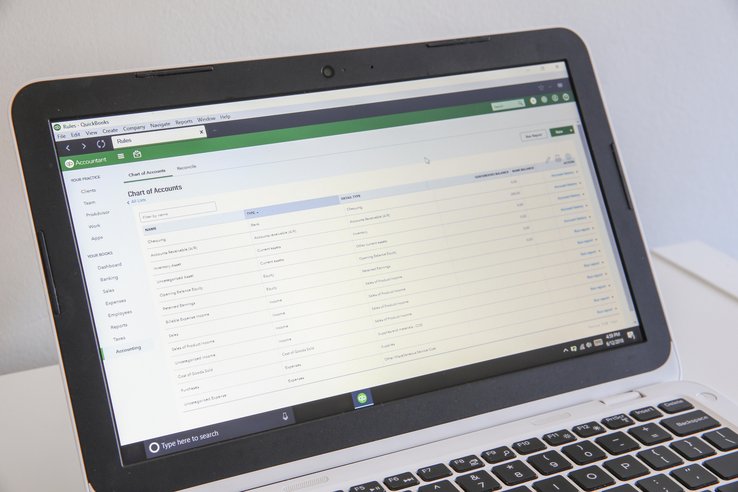
This is a legacy, relational desktop database. Unless you pay a third-party IT firm (like Rightworks) to host it on a virtual server, your financial data is physically locked to the computers in your office. It handles standard accounts payable and receivable reliably, but lacks the dimensional or multi-entity reporting capabilities required by large real estate developers.
General Contractor-Specific Workflows
- Sub-Tier Compliance & AP Holds: Compliance is manual. While you can enter an expiration date in a vendor’s note field, QuickBooks will not automatically stop a payment if that date passes. Your AP clerk must manually check a spreadsheet or external tracker before cutting checks to ensure subcontractors are compliant.
- Owner Billing & Lien Waivers: QuickBooks Desktop does not generate AIA forms natively. To track a 5% owner retainage holdback, the user must create a custom current asset account and manually add negative line items to standard invoices—a process highly prone to human error that can delay owner requisitions.
Integrations & Connectivity
To safely run a GC business on QuickBooks Enterprise, you must integrate it with third-party tools. You will almost certainly need a commercial PM tool (like Buildertrend, Knowify, or Procore) to handle the AIA billing, sub-tier compliance, and lien waivers externally, pushing only the finalized financial data into QuickBooks.
Total Cost of Ownership & Implementation
The baseline software costs between $2,200 and $5,000+ annually depending on user seats (capped at 40). However, the true total cost of ownership includes local server maintenance (or remote hosting fees) plus the monthly subscriptions for the third-party PM tools required to handle the compliance workflows QuickBooks is missing natively.
General Contractor Accounting Software Comparison
The table below compares the top accounting platforms used by general contractors, organized by deployment model, target revenue size, and native compliance capabilities.
| Feature / Capability | Sage 100 Contractor | CrewCost | Premier Construction | Deltek ComputerEase | Sage Intacct Const. | QuickBooks Desktop Ent. |
| Primary Fit | Mid-market GCs ($10M–$50M) needing strict AP holds | Modern, growing GCs ($5M–$250M+) wanting unlimited users | Mid-market to enterprise GCs ($10M–$500M+) wanting all-in-one | GCs ($10M–$50M) with heavy self-perform labor | Large GCs & developers ($50M+) needing multi-entity | Smaller GCs ($5M–$15M) reliant on legacy desktop |
| Deployment Model | On-Premise / Hosted | Native Cloud | Native Cloud (SaaS) | Cloud-hosted / On-Premise | Native Cloud (SaaS) | On-Premise / Hosted |
| Automated AP Holds | Native (Hard stops) | Basic (Date tracking) | Native (Sub portal) | Native | Native (Custom workflows) | Manual / Spreadsheet |
| Lien Waiver Tracking | Native (Conditional & Unconditional) | Via PM integration | Native (Automated tracking) | Native | Native | Manual / 3rd-party app |
| Owner Draw / AIA Billing | Native (G702/G703) | Native (G702/G703) | Native (G702/G703) | Native (G702/G703) | Native | Manual / Workaround |
| Real-Time WIP Reporting | Native | Native | Native | Native (WIP Center) | Native (ASC 606 compliant) | Excel export / Add-on |
| CSI MasterFormat Alignment | Native | Native | Native | Native | Native (Dimensional GL) | Manual cost code mapping |
| Self-Perform Labor Burden | Preset multipliers | Automated | Native | Native (Core Strength) | Native | Manual clearing entries |
| Multi-Entity Consolidation | Limited / Manual | No | Native | Limited / Manual | Native (Automated eliminations) | No |
Buying Guide: What to Look For
General contractor accounting software differs from standard corporate bookkeeping software in one fundamental way: it prioritizes risk mitigation, sub-tier compliance, and cash flow timing over simple profit and loss tracking. Standard accounting platforms are built for businesses with fixed revenue models and unconditional credit terms. In commercial general contracting, financial management means acting as a financial clearinghouse where payment cycles depend on owner disbursements and are subject to project-specific retainage. Choosing an application without specialized general contractor capabilities leaves a firm exposed to unmitigated subcontractor liabilities, delayed owner disbursements, and cash flow crunches.
Note: this guide focuses on the needs of general contractors; you can find a summary of the broader market in our best construction accounting software guide.
Types of General Contractor Accounting Systems
Selecting the right software architecture depends on your firm’s revenue volume, self-performance model, corporate structure, and how different software pricing models align with your overhead. General contractors typically choose from three primary software setups:
- General Accounting with Project Management Add-Ons: Lower-cost general ledgers like QuickBooks Desktop Enterprise (or QuickBooks Online) paired with specialized construction project management software like Procore, Contractor Foreman, or Buildertrend. In this setup, the project management tool manages subcontracts, AIA billing, and compliance documentation, pushing approved financial data into the accounting software. This works well for smaller GCs ($5M–$15M revenue), though managing double data entry and API syncs creates administrative overhead.
- Specialized Mid-Market Construction Accounting: Dedicated construction platforms that combine general ledger accounting with native job costing, WIP reporting, and sub-tier compliance features out of the box. Platforms like Sage 100 Contractor, CrewCost, Premier Construction Software, and Deltek ComputerEase serve growing general contractors ($10M–$50M+ revenue) needing formal risk controls and owner draw synchronization without the setup costs of enterprise ERPs.
- Enterprise Construction ERPs: Fully integrated cloud platforms built for large general contractors, multi-entity organizations, and real estate developers generating $50M+ in annual revenue. Systems like Sage Intacct Construction deliver dimensional general ledgers, multi-company consolidations, and complex intercompany eliminations, but require significant capital investment and dedicated IT personnel to maintain.
Critical Accounting Capabilities for General Contractors
Software demos often showcase high-level dashboards and executive summaries. For a prime contractor, a system is only as effective as its ability to enforce operational risk controls and streamline owner billing cycles. Evaluate platforms based on how they execute these specific workflows:
- Sub-Tier Compliance & Automated AP Holds: A general contractor assumes primary financial and legal exposure on a job site. If a subcontractor operates with an expired general liability policy or fails to maintain workers’ compensation coverage, the prime contractor is often designated as the statutory employer, assuming joint liability for resulting claims. The accounting system must feature automated accounts payable hard stops that verify certificate of insurance (COI) expiration dates, municipal licenses, and W-9 statuses, automatically blocking check generation for non-compliant vendors until updated documentation is logged.
- Conditional & Unconditional Lien Waiver Tracking: Mechanics’ liens pose a major operational risk in commercial construction. Unpaid sub-tier subcontractors and suppliers can place liens directly against a project owner’s property title. Specialized accounting software links payment processing directly to legal releases by generating conditional lien waivers matching exact invoice amounts during check runs, and tracking the return of unconditional waivers after payments clear. The system must flag delinquent waivers and automatically hold subsequent disbursements if unconditional releases from prior billing cycles remain outstanding.
- Owner Draw Synchronization & AIA Billing: According to benchmarking data from the Construction Financial Management Association (CFMA), commercial general contractors average between 50 and 60+ days in accounts receivable. Because prime contractors must fund ongoing project overhead and early vendor commitments before owner requisitions clear, tracking the precise status of owner draws against sub-tier pay applications is vital to liquidity. Purpose-built accounting software automates standard AIA G702 and G703 progress billings, aggregating approved sub-tier pay apps, calculating retainage withholdings, and formatting progress billings against the master schedule of values. Furthermore, integrating your construction scheduling software helps forecast these cash flow timing gaps, while automated retainage tracking ensures you protect the owner until the final punch list is complete.
- Real-Time Work-in-Progress (WIP) Reporting: Waiting for month-end close to evaluate project margins leaves executives blind to cost overruns while work is actively underway. General contractors require WIP schedules that automatically combine estimated contract values, actual incurred costs, and billed amounts across all active prime contracts. This ensures accurate ASC 606 revenue recognition and identifies under-billed positions across the project portfolio, which requires strict job costing and real-time construction cost tracking to execute properly.
- CSI MasterFormat Cost Code Alignment: To maintain closed-loop financial tracking, the accounting platform must map its chart of accounts and cost codes directly to standard Construction Specifications Institute (CSI) MasterFormat divisions (e.g., Division 03 for Concrete). This ensures that estimated project budgets from your takeoff and estimating software flow seamlessly into job-cost ledgers
- Self-Performed Labor Burden & Equipment Allocation: For general contractors who self-perform specific scopes of work (such as concrete, framing, or site prep), tracking raw hourly wages distorts job profitability. The system must calculate fully burdened labor rates—including payroll taxes, workers’ compensation, and fringe benefits, which can raise the the true cost of employment by 30% to 40% above base wages—and automatically apply them to job cost codes when field timecards are submitted. Additionally, the software should calculate internal equipment rates for company-owned machinery and bill those costs directly to active project ledgers.
- Multi-Entity & Intercompany Consolidation: For general contractors operating multiple regional LLCs, joint ventures, or complex real estate business structures, managing manual due-to/due-from journal entries creates severe administrative friction. Enterprise platforms must offer dimensional general ledgers that automate intercompany eliminations and generate consolidated financial statements in real time.
Software Implementation and System Migration
Migrating a general contracting firm to a new accounting system is rarely derailed by software bugs—it fails because firms import disorganized legacy data. To prevent operational disruption and protect billing cycles during a transition, execute the migration using these four steps:
- Establish a January 1st cutoff date: Avoid mid-year transitions whenever possible. Importing mid-year payroll and vendor accumulation totals often resets statutory tax limits to zero or distorts 1099-NEC balances, creating heavy tax reconciliation work at year-end.
- Scrub the vendor database offline: Do not import your entire historical vendor list into the new ledger. Archive inactive suppliers, close out completed subcontracts, and verify that all active trade partners have current Certificates of Insurance (COIs) and W-9s before migrating their records.
- Transfer only active commitments and WIP balances: Reconcile active Work-in-Progress (WIP) balances, open purchase orders, and unbilled retainage offline. Import only active subcontracts and current balance sheet totals to ensure new job-cost reports are not distorted by years of closed-out projects.
- Run parallel compliance and billing tests: Before retiring the legacy system, run mock billing cycles to verify that the new software correctly generates AIA-style progress bills (G702/G703), calculates retainage holdbacks accurately, and successfully halts check runs for non-compliant vendors.
General Contractor Accounting Software Buyer’s Checklist
Use this checklist to evaluate whether a platform can protect your firm from sub-tier liability, automate complex owner progress billings, and manage the unique cash flow timing gaps of a prime contractor.
Sub-Tier Compliance & Risk Management
-
Does the system automatically freeze accounts payable check runs if a subcontractor’s Certificate of Insurance (COI), W-9, or business license is expired? If NO: Manual compliance tracking leaves your firm exposed to joint and several liability if an uninsured sub-tier causes an incident.
-
Can the software automatically generate conditional lien waivers alongside outbound payments and block future payments if unconditional waivers are not returned?
-
Does the platform feature a vendor portal where subcontractors can directly upload their own pay applications and updated compliance documents?
Owner Billing & Retainage Tracking
-
Can the system aggregate approved subcontractor pay applications to automatically generate standardized AIA G702/G703 owner progress billings?
-
Does the software natively calculate and isolate both upstream owner retainage and downstream subcontractor retainage into dedicated contract asset and liability accounts? If NO: Using manual negative-line-item workarounds will continually distort your AR and AP aging reports.
Financial Visibility & Cost Control
-
Can the chart of accounts and job cost codes be mapped directly to CSI MasterFormat divisions to ensure clean integration with your estimating software?
-
Does the system generate real-time Work-in-Progress (WIP) schedules that accurately calculate over/under-billings for ASC 606 revenue recognition? If NO: You cannot identify margin fade or cash flow gaps until month-end closing, which is often too late to make field corrections.
Advanced GC Workflows
-
For Self-Performing GCs: Does the platform calculate fully burdened labor rates and internal equipment usage, applying those costs directly to the job ledger?
-
For Developers & Multi-Entity Firms: Does the system feature a dimensional general ledger that automates intercompany eliminations and multi-entity consolidations?
-
Does the vendor provide robust migration support designed around a clean January 1st cutover, importing only active subcontracts and WIP balances rather than messy historical data?
Evaluating Your Software Fit
Compliance Holds are Mandatory: A general contractor acts as a financial clearinghouse. If the software cannot automatically freeze payments to non-compliant sub-tiers, your firm is absorbing their legal liability. This is a baseline requirement for any mid-market GC.
All-in-One vs. Integrated PM: Decide if you want a unified ERP where project management and accounting share a single database, or a “best-of-breed” approach where you pair a strong accounting ledger with a dedicated field tool (like Procore) via an API integration.
Corporate Structure Complexity: If you run multiple LLCs, joint ventures, or a development arm, prioritize a dimensional ledger with automated multi-entity consolidation. If you operate a single corporate entity, simpler mid-market software will save you tens of thousands of dollars in implementation costs.
Frequently Asked Questions
How do GCs automate AIA billing?
General contractors automate AIA billing by linking project schedules of values (SOV) directly to contract progress data within their accounting software. Once project managers or subcontractors enter updated progress figures into the system, the platform automatically generates standardized AIA G702 (Application and Certificate for Payment) and AIA G703 (Continuation Sheet) billing documents. This automation eliminates manual spreadsheet calculations by pulling current completed work, stored materials, and retained percentages directly from the digital SOV and approved subcontractor pay applications.
By generating these progress billings natively, accounting teams eliminate mathematical errors, enforce contractually mandated retainage calculations, and reduce payment turnaround times from project owners. The integrated workflow ensures that every line item on the continuation sheet remains reconciled with the master contract sum throughout the construction lifecycle.
Should a general contractor use QuickBooks or Sage?
A general contractor should consider transitioning from QuickBooks to Sage when annual revenue exceeds approximately $10M or when managing complex sub-tier compliance becomes too operationally burdensome. While QuickBooks Desktop Enterprise provides accessible basic accounting and entry-level job costing for smaller firms, it lacks native mechanisms to enforce accounts payable holds for expired certificates of insurance or manage conditional and unconditional lien waivers. As a firm scales, relying on manual workarounds introduces significant compliance exposure and administrative friction.
Sage platforms deliver specialized construction controls, including native retainage tracking, automated compliance holds, and direct mapping to construction specification structures. General contractors operating at scale need these built-in financial guardrails to preserve working capital and maintain audit-ready job cost ledgers without expanding administrative headcount.
Do I need ERP software or just construction accounting software?
General contractors need a full enterprise resource planning (ERP) system if they require native, unified management across human resources, equipment fleets, and field operations. Traditional construction accounting software, by contrast, focuses on financial essentials: the general ledger, job costing, payroll, and accounts receivable/payable compliance. Comprehensive construction ERP solutions pull most back-office and field operations into a single database, significantly reducing the reliance on fragmented third-party integrations. Even with an ERP, however, many contractors still use specific integrations for specialized workflows like advanced estimating or BIM coordination.
Many mid-market general contractors choose specialized construction accounting software instead, pairing it with dedicated project management overlays through open APIs. This modular approach often provides optimal operational flexibility without the financial outlay and implementation complexity of a full enterprise ERP. The right choice depends on your organization’s operational maturity and long-term growth trajectory.
How do I manage subcontractor COIs in my accounting software?
Subcontractor certificates of insurance (COIs) are managed in construction accounting software by recording policy expiration dates at both the vendor and commitment levels to trigger automated accounts payable holds. When onboarding a new trade partner, modern systems use AI-powered extraction to log policy limits and expiration dates for general liability, automobile liability, workers’ compensation, and umbrella coverage into the vendor’s project-specific profile.
The software evaluates these parameters during invoice entry and payment selection, placing an automated hold on disbursements whenever a policy lapses or fails to meet contract-specific requirements. This safeguard prevents back-office personnel from accidentally releasing funds to non-compliant trade partners. Modern platforms also allow subcontractors to upload renewed insurance certificates through self-service vendor portals, though accounting or risk staff typically still review uploaded certificates to verify coverage limits and required endorsements before manually clearing the hold. To fully remove those manual bottlenecks, some firms use AI-driven compliance integrations that parse certificates and update statuses automatically.
References & Additional Resources
- Construction Financial Management Association (CFMA). An essential trade organization for financial leaders that publishes national benchmarking data on key performance indicators, cash flow metrics, and days sales outstanding for commercial construction firms.
- American Institute of Certified Public Accountants (AICPA). The professional organization that provides implementation guidance for FASB revenue recognition standards, establishes auditing standards, and publishes specialized accounting and audit guides for construction and job cost accounting.
- Associated General Contractors of America (AGC). A prominent commercial construction trade association offering operational risk management guidelines, standard contract documentation, and industry economic research for general contractors.
Detailed Methodology: How We Found the Best Construction Accounting Software for General Contractors
Detailed Methodology: How We Found the Best Construction Accounting Software for General Contractors
To determine the best construction accounting platforms for general contractors, we evaluated the market against the operational realities of commercial builders acting as financial clearinghouses and project risk managers, specifically those generating $10 million to $500M+ in annual revenue.
We deliberately excluded horizontal, general-business accounting platforms. Standard accounting systems are built for businesses with fixed revenue models and unconditional credit terms. They completely lack the programmatic guardrails required to place automated accounts payable holds on non-compliant vendors, meaning they leave prime contractors highly exposed to joint and several liability risks.
We also excluded platforms that focus entirely on heavy equipment tracking and specialty trade labor, but fail to provide robust sub-tier vendor portals, conditional lien waiver generation, and complex owner draw schedule management.
The platforms that made our final list were selected based on their underlying financial architecture and their ability to execute the following prime contractor workflows natively:
- Sub-Tier AP Compliance: System-enforced administrative holds that automatically freeze accounts payable check runs if a subcontractor has an expired certificate of insurance (COI), missing business license, or exhausted bonding limit.
- Automated Lien Waiver Management: The ability to link payment processing directly to legal liability releases, automatically generating conditional waivers upon invoice submission and tracking unconditional waivers upon payment clearing.
- Owner Draw Synchronization: Native generation of AIA G702/G703 progress billings that align upstream owner requisitions with downstream subcontractor payables to accurately model cash flow timing gaps.
- WIP & ASC 606 Revenue Recognition: Automated percentage-of-completion (POC) accounting that instantly identifies contract assets (under-billed) and contract liabilities (over-billed) across the entire active project portfolio.
- CSI MasterFormat Alignment: The ability to map the chart of accounts and cost codes directly to standard Construction Specifications Institute (CSI) divisions, ensuring clean integration with field project management tools like Procore.
Related Guides
The best construction accounting software in 2026 are QuickBooks Online for small contractors, CrewCost for growing and midmarket construction businesses,…

Choosing the right QuickBooks edition for your construction business in 2026 comes down to matching your company's size and daily…

The best construction accounting software for small businesses is QuickBooks Online for its flexible, industry-standard ecosystem, Xero for intuitive workflows…

The best accounting software for commercial subcontractors is Foundation Software for heavy prevailing wage and union trades, Trimble Viewpoint Spectrum…

The best accounting software for general contractors is Sage 100 Contractor for strict accounts payable compliance, CrewCost for growing firms…

The best construction ERP software is Acumatica for firms needing unlimited field access, Sage Intacct for multi-entity developers, CMiC for…