



Many growing contractors look at a positive bank balance and assume the business is healthy. In reality, you can have plenty of cash on hand while a specific project task quietly loses money due to labor inefficiencies or material waste. Without tracking field expenses to specific tasks and cost groups, it is impossible to know if you are actually making money on the current job or just using the deposit from the next job to float losses from the last.
This guide is for owner-operators and contractors who are outgrowing paper workflows and disorganized spreadsheets. We cover how to set up a standardized cost code system, the financial risks of manual tracking, and how to transition to job costing software so your future bids are grounded in actual field data rather than guesswork.
Key Takeaways
- Cost tracking powers job costing: Recording daily field expenses against specific cost codes provides the raw data needed to measure actual project profitability instead of relying on a fluctuating bank account.
- Standardized codes create a uniform ledger: A master list of cost codes eliminates informal field notes and aligns your daily site records directly with your master financial ledger.
- Daily logging catches overruns early: Reconstructing timecards on Friday afternoon degrades accuracy. Logging hours and materials daily is the only reliable way to monitor a project’s actual burn rate.
- Manual tracking breaks down at scale: Spreadsheets hit their limit when a contractor takes on multiple concurrent jobs. Data entry lag and broken formulas create phantom margins that hide financial losses until a project ends.
- Automating your workflow protects project margins: Upgrading to a dedicated construction app that syncs directly with standard accounting software connects the field to the office, tracks fully burdened labor rates, and monitors budgets in real time.
Note: If you do not already have a standardized master list of codes for your business, download our Free Construction Cost Codes List & PDF before continuing with this guide.


Table of Contents
Why Accurate Construction Cost Tracking Matters
Cost tracking is the daily habit of recording field expenses, while job costing is the accounting practice of assigning those expenses to specific projects and cost codes. Without a disciplined system to capture every labor hour and material invoice, job costing is just guessing. Cost tracking provides the raw financial facts; job costing compares those facts against your estimate to show your actual profit margins and task-level variances.
For a growing contractor, the accuracy of your records determines your survival today and your financial ceiling tomorrow. On a day-to-day basis, tracking costs prevents you from ‘floating jobs’—using the deposit from your next project to pay for the materials you underbid on the last one.
As your business expands and you bid larger commercial jobs or public works, banks and surety bond underwriters will demand clean financial records. If your ledgers are disorganized, you will be denied the credit lines and bonding capacity required to take your business to the next level.
Improving Estimating Accuracy With Historical Field Data
Tracking costs gives you the historical data needed to bid future jobs profitably. When you compare what a completed task actually cost against what you budgeted, you can refine your production rates and material waste assumptions. This prevents you from winning a bid but losing money because the estimate was too optimistic.
Instead of relying on generic industry averages, you bid using your own verified unit costs. If your crew consistently takes 20% longer to install a specific HVAC ducting layout than the manufacturer’s manual claims, your next bid needs to reflect that reality. Feeding actual field data into your estimating software builds realistic contingencies into your contracts, so you aren’t eating unexpected costs out of your own margin.
Lowering Premiums During Workers’ Compensation Audits
Labor cost tracking ensures a firm does not overpay for workers’ compensation premiums during an annual audit. Workers’ comp rates are tied directly to specific NCCI class codes (trade classifications), with higher-risk tasks carrying higher premiums. Without detailed cost codes, an auditor defaults to the highest-rated classification for the entire payroll.
Consider a carpenter who spends four hours working on a roof and four hours installing interior baseboards. If the daily time entry simply reads “8 hours of carpentry,” the insurance carrier will likely bill the entire day at the more expensive roofing rate. Specific cost codes let you prove the exact distribution of labor, so you pay only what’s legally required. That same documentation reduces exposure to non-compliance penalties and uninsured subcontractor fees, and it demonstrates the kind of professional risk management that can earn more favorable terms from underwriters over time.
Standardizing Financial Language Between the Field and Office
Standardized cost codes create a unified communication framework that allows field personnel, project managers, and accounting staff to speak the same financial language. When someone in the field tags a receipt with Code 03-3000, the bookkeeper in the office immediately knows the expense belongs to cast-in-place concrete. This precision eliminates the ambiguity of handwritten notes like “worked on the foundation today,” which routinely cause data entry errors and misallocated funds.
This shared language becomes especially important as a company scales and the owner can no longer personally oversee every job site. Standardized codes allow the office to scan reports and identify which specific tasks are over budget without calling the job site for a detailed explanation. If “Code 03-3000” shows a 15% overrun, the project manager knows exactly where to investigate. Aligning your internal codes with a framework like the CSI MasterFormat also keeps your data compatible with architects, engineers, and general contractors who use those same codes in their specifications—simplifying pay applications, tracking retainage, and reducing administrative disputes.
How to Set Up a Construction Cost Tracking System
A manual cost tracking system is the baseline most growing contractors start with. Setting this up lets you master the logic of cost allocation before introducing the complexity of automated software. To stop job costs from bleeding into general overhead, every single receipt, time entry, and invoice must be assigned to a specific cost code—representing a distinct task, trade, or material.
The goal is to move away from lump-sum tracking, where all materials fall into a single general ledger category, and toward a granular workflow. To do this, you need to change the physical habits on the job site and the administrative habits in your office. Here is how to build that system step-by-step.
Step 1: Build Your Master Code List
Relying on informal descriptions—like “lumber for deck” or “front porch concrete”—creates inconsistent records that cannot be accurately compared across different projects. Adopting an industry-standard framework, such as the CSI MasterFormat, gives you a uniform structure.
Do not import the entire 5,000-code MasterFormat list. Instead, condense it into a master menu of 20 to 50 codes that represent your specific operations.
Once you have your list, you must integrate it into your daily routine:
- In the Office: Enter these codes into whatever system you currently use to track expenses. If you use basic accounting software like QuickBooks, set them up as “Products and Services” or “Items.” (Do not add them as new General Ledger accounts, which will ruin your P&L statement). If you are using a basic spreadsheet, make these codes your standard categories. If you are starting on paper, this list becomes your master ledger.
- In the Field: A coding system only works if the people logging hours and buying materials actually know the codes. Keep a copy of this list wherever it’s needed most—whether that’s on a clipboard in the main work truck, saved as a photo on your phone, or printed out for your team.
Step 2: Adjust Your Time Tracking to Capture Task-Level Labor
If you currently just track an employee’s name (or your own name) and the total shift hours, you cannot accurately job cost. You must adjust your time tracking process so that hours are tied directly to the specific tasks performed.
Whether you use paper logs, a spreadsheet, or a basic time-clock app, every daily time entry must capture three things: Name, Hours Worked, and the Cost Code.
Instead of a vague entry like “8 Hours (worked on framing),” the entry should be split to reflect reality. For example, 4 hours logged to 06-1100 (Rough Carpentry) and 4 hours logged to 01-7400 (Site Cleanup).
To make this work, whoever is on-site must log these coded hours daily before wrapping up the job. Trying to reconstruct the week’s hours from memory on a Friday afternoon degrades accuracy and hides labor inefficiencies.
Note on converting hours to costs
Once those hours are collected, you have to convert them into a dollar amount to see how much of your budget you have actually spent. When doing this math, do not just multiply the hours by the worker’s raw hourly wage (e.g., 4 hours x $25/hr = $100). You must multiply them by your fully burdened labor rate, which includes employer taxes, workers’ comp, and benefits. Without this step, your job cost report will show a false profit.To learn how to compute this exact hourly rate for your team, read our complete guide to calculating construction labor burden.
Step 3: Code Material Receipts, Equipment Rentals, and Subcontractor Invoices
Assigning specific cost codes to material receipts, equipment rental agreements, and subcontractor invoices ensures these expenses do not accidentally get dumped into general overhead. But the person managing the books cannot accurately code what they don’t understand.
To bridge the gap between the job site and the books, implement a strict labeling rule. Whenever you or a team member buys materials at a supply house, signs for a delivery, or signs out a rental machine, write the Job Name and the Cost Code clearly across the front of the receipt or rental ticket before turning it in or filing it.
- Handling Split-Codes: If a supply yard delivery includes both framing lumber (Code 06-1100) and exterior sheathing (Code 06-1600) on the exact same bill, the purchaser must note both codes. The person doing the bookkeeping must then “split-code” the entry, calculating the subtotals for each material category so your job costs remain accurate.
- Handling Equipment Rentals: Equipment costs should be tied to the specific task they are used for, rather than a generic “Equipment” ledger. If you rent a skid steer specifically for site grading, write the earth-moving code (e.g., 31-2000) on the rental invoice. This ensures the equipment cost is factored into the true cost of completing that specific task.
- Handling Subcontractors: When you issue a Purchase Order (PO) to a subcontractor, write the cost code directly on the PO. When the sub’s invoice arrives, matching it to that specific code forces you to verify their billing against the physical work actually completed on-site. This prevents subcontractors from overbilling for incomplete work (front-loading) and ensures you withhold the correct percentage of retainage for that specific scope of work before cutting the check.
Step 4: Run a Weekly “Budget vs. Actuals” Review
Tracking costs is entirely useless if no one looks at the data until the project is finished. Cost tracking is a proactive tool, not a historical record.
Make it a mandatory habit to run a Budget vs. Actuals review every Tuesday morning. If you track costs manually, this means tallying the previous week’s coded hours and receipts and comparing those sums against your original line-item estimate. If you use accounting software, pull a categorized job cost report for the active project.
Look for variances. If your tally shows that labor for “03-3000 (Cast-in-Place Concrete)” has burned through 85% of its $10,000 budget, but the concrete pour is only 50% complete, you have an immediate red flag. Because you are tracking costs weekly by code, you have the opportunity to figure out what is causing the delay and fix the productivity issue while there is still budget left to protect.
The Financial Risks of Manual Cost Tracking
A manual cost tracking system typically hits its breaking point the moment a growing contractor takes on multiple concurrent projects. The primary bottleneck is time. When your team is already stretched across estimating, project management, and daily field ops, manually copying field logs into a master ledger creates a permanent bottleneck.
Moving from a single job site to two or three active projects forces whoever is managing the books to manually copy, paste, and reconcile labor hours and material invoices across disconnected spreadsheets. As transaction volume grows, this constant data entry guarantees a lag. The financial health of a project becomes clear only after the job is done. In the 2026 lending environment—where equipment financing, credit access, and bonding capacity depend on current, accurate financial documentation—that lag creates a tangible business risk.
Data Entry Delays & Lagging Indicators
When handwritten time logs and paper receipts sit in a truck until the end of the week, the office is forced to make decisions using outdated data. The administrative burden of double data entry—transcribing paper logs into a spreadsheet, and then again into the accounting ledger—adds days of processing time on top of the initial field delay.
If a specific coded task is burning through its labor budget too quickly, a manual system may not flag the overrun until payroll is processed the following week. By the time the issue is identified, the task is likely complete. This leaves you no opportunity to adjust your field approach or fix crew productivity while there is still budget left to protect.
Spreadsheet Errors & Phantom Margins
Standard spreadsheets are not purpose-built for construction accounting, which leaves you exposed to silent calculation errors. A single broken formula or accidental deletion can create a “phantom margin”—a report that tells you a project is profitable when it is actually bleeding money. Whether someone accidentally overwrites a cell calculating your labor burden or just forgets to add a new row of material invoices into a sum total, these routine mistakes can compound quickly.
The fragility of these files gets worse as your company grows and more people touch the books. Without strict version control, staff might save conflicting versions of the same budget (e.g., “Budget_v2_FINAL”), creating confusion over which file reflects reality.
Phantom margins create massive risk during the final phases of a project. You might look at your spreadsheet, believe you are sitting on a solid 15% margin, and authorize overtime or equipment rentals to get the job finished. If you reach 90% completion only to discover the spreadsheet was missing several large subcontractor invoices, that margin is wiped out. By the time the error surfaces, what should have been a profitable job ends in a net loss.
Inaccurate Work in Progress (WIP) Reports
To a small contractor, a Work in Progress (WIP) report is essentially the answer to one critical question: Am I billing the client fast enough, or am I paying for their project out of my own pocket?
If your manual data entry lags behind what is happening in the field, your costs-to-date figure will look artificially low in your spreadsheet. You might incur $5,000 in material costs on Tuesday, but if it doesn’t get logged until the end of the month, you fail to bill the client for it on time. In a lean operation, this disconnect between physical progress and office billing triggers immediate cash flow shortages.
Beyond immediate cash flow, this internal check becomes a formal financial document as your company scales. Lenders and surety underwriters rely on formal WIP reports to gauge your operational control. If delayed tracking causes unpredictable drops in your projected margins, it signals to creditors that you are a high-risk investment.
How Cost Tracking Software Automates Job Costing
Construction cost tracking software automates the collection, categorization, and reporting of your daily project expenses. For a growing operation, moving from manual spreadsheets to a dedicated software solution is the most effective way to gain financial transparency across multiple job sites. Connecting field activity directly to your general ledger gives you the granular data required to actually manage your risk.
When labor productivity is the primary variable affecting your profitability, software functions as a daily performance monitor. Automated workflows let you monitor your burn rates daily, catching small inefficiencies before they compound into financial liabilities that wipe out a project’s margin.
The Construction Cost Tracking Lifecycle
Mapping the flow of field data into the job cost ledger to produce accurate Work in Progress (WIP) reporting.
1. Field Data Capture
Labor Timecards
Daily hours logged by field crews and trades.
Material & Equipment Receipts
Delivery tickets and invoices for physical supplies.
Sub Invoices
Progress billings submitted by specialized subcontractors.
2. Categorization
Standardized Cost Codes
Raw field inputs are categorized using a uniform numerical framework (e.g., CSI MasterFormat) to standardize the data.
3. Financial Ledger
Job Cost Ledger
Coded expenses update the master ledger, measuring actual and committed costs against the original estimate.
4. Output & Analysis
Job Cost Reports
Budget vs. actuals, labor productivity, and committed costs.
WIP Report
Work in Progress schedules detailing overall profitability and billing accuracy.
Spreadsheets vs. Software for Cost Tracking
While spreadsheets offer a familiar, low-cost starting point for contractors learning the fundamentals of cost allocation, their reliance on manual data entry inherently limits your ability to scale. As your company takes on concurrent projects, the gap between a static spreadsheet and a dynamic software environment becomes a measurable financial liability—often introducing data latency and version control issues that mask margin fade until it is too late. Upgrading to a dedicated platform transforms cost tracking from a reactive administrative chore into a proactive project management tool.
The table below highlights the core operational differences between maintaining a manual spreadsheet workflow and implementing an automated system.
| Feature | Manual Spreadsheet Workflow | Automated System Workflow |
| Data Entry | Manual transcription from paper logs, texts, or physical receipts. | Direct mobile entry from the job site. |
| Data Latency | 5–10 day lag (lagging indicators). | Instantaneous sync (real-time indicators). |
| Data Integrity | High risk of broken formulas, missing rows, and typos. | Relational databases ensure calculations stay consistent. |
| Labor Burden | Often relies on flat, estimated percentages. | Calculates exact taxes, insurance, and fringes per hour. |
| WIP Reporting | Built manually for monthly or quarterly reviews. | Continuous, live WIP visibility. |
| Version Control | Multiple overlapping files create version confusion. | Provides a single source of truth for the field and office. |
| Audit Trails | Cannot track who altered a specific cell or entry. | Timestamps every transaction to an individual user. |
Real-Time Field-to-Office Connectivity
When field workers use mobile devices to clock in and match their work to specific cost codes, that data is immediately transmitted to the office—no paper timecards, no manual transcription. This direct connection means your business is always working with the most current data available rather than a ledger that might be several days behind.
The elimination of double data entry is one of the most tangible benefits. In a manual system, information gets recorded on paper, transcribed into a spreadsheet, and then re-entered into accounting software—creating multiple points of failure along the way. Specialized software removes those redundant steps, preserving the accuracy of the original field data as it moves through the financial system.
Mobile connectivity also enables the instant digital capture of material receipts and subcontractor progress documentation. Instead of waiting for paper delivery tickets to make it back to the office, field teams can photograph a delivery ticket and tag it to the appropriate cost code on the spot. That immediate visibility lets the office track committed costs—money spent but not yet invoiced—giving a far more accurate picture of the remaining project budget.
Proactive Budget Control and Spend Tracking
Without real-time visibility, contractors often only discover a project operated at a loss weeks after the work is finished. Software transforms the job cost report from a historical record into an active, forward-looking management tool, comparing estimated costs against actual expenditures so project managers can intervene before variances erode the margin.
According to data from the Construction Financial Management Association (CFMA) and FMI Industry Reports, contractors who implement real-time project cost tracking see average efficiency gains of 15% to 20%. That improvement comes from the ability to make data-driven decisions more quickly—reallocating labor to more productive tasks, identifying material waste early, and course-correcting while there’s still budget left to work with.
Modern construction cost tracking software also supports automated alerts when a specific cost code approaches its budget ceiling. If labor hours for “Code 03-3000” (Cast-in-Place Concrete) reach 80% of the budget while the work is only 50% complete, the system can be configured to send a notification. This allows you to investigate the root cause—such as crew inefficiency, incorrect estimating assumptions, or sequencing delays—and implement a fix while the project is still active.
Next Steps: Building an Automated Job Cost System
You cannot control the costs you do not track. Relying on intuition or a fluctuating bank balance creates massive financial exposure, masking margin fade and operational inefficiencies until the damage is already done. By implementing a rigorous system to categorize every labor hour and material invoice, you convert raw field data into a strategic asset that protects your bottom line.
The transition to professional construction accounting starts with adopting a standardized cost code framework that creates a shared language between your job site and your office. That one administrative shift improves your estimating accuracy, simplifies the process of separating labor classifications for insurance audits, and lays the groundwork for clean, reliable cash flow.
If you are already struggling with the delays and errors that come with manual spreadsheet entry, it is time to evaluate dedicated software. Automating these workflows delivers the real-time visibility you need to secure higher bonding limits, satisfy lender requirements, and maintain a competitive edge on every job site.
Transitioning off spreadsheets requires picking a software model that fits your administrative capacity, team size, and budget:
- Accounting Software + A Dedicated Field App: This approach keeps your standard accounting software (like QuickBooks) but pairs it with a specialized mobile app for your field workers to log time and capture receipts. It is best for operations generating $500k–$5M in annual revenue with a lean office. Costs run $130–$500 per month with a quick 1–2 week setup period.
- All-in-One Construction Accounting Software: This approach puts your general ledger, job costing, and payroll all inside one single, construction-specific database without needing a third-party app. It is best for contractors generating $2M–$10M in annual revenue who have a dedicated in-house bookkeeper. Costs range from $800 to $5,000+ per year with a longer 4–8 week implementation window.
Option 1: Pairing a Field App With Standard Accounting Software
This is the exact setup 95% of growing contractors will use. It is the standard choice for owner-operators and trade specialists doing between $500,000 and $5 million in annual revenue. Under this setup, you use a standard general ledger (like QuickBooks Online or Xero) for baseline business accounting, paired with a specialized construction project management app or field service tool for field time tracking, receipt capture, and code-level job costing.
This approach keeps office overhead low while providing the job site with simple, dedicated mobile apps. Expect an all-in cost of $130 to $500 per month, combining your accounting subscription ($115/month for QuickBooks Online Plus, which is the minimum tier offering native job costing) with your construction front-end license.

Learn More About Quickbooks Online
When evaluating front-end construction apps to pair with your general ledger, prioritize seamless two-way integration and field usability. Look for platforms that eliminate double data entry, offer simple mobile time tracking, and use transparent pricing models rather than high per-seat licensing fees that penalize you for adding field workers.
Here are specialized platforms built to pair seamlessly with general accounting ledgers like QuickBooks and Xero:
| Company | Platform Overview | Estimated Pricing | Learn More |
|---|---|---|---|

Contractor Foreman
|
General contractors looking for highly affordable, all-in-one project management. | $49–$150 per month | |

Buildertrend
|
Residential custom builders and remodelers requiring highly detailed, cost-code-based job costing. | $399–$1,000+ per month | |

Knowify
|
Trade contractors and subcontractors who need to generate AIA progress billings and sync with QuickBooks. | $149–$400 per month |
*We may earn a commission when you click through these links.
Option 2: Native Construction Accounting Software
For contractors who want job costing and accounting inside a single database without syncing two separate platforms, a native construction accounting system is the logical choice. A native system includes a true general ledger (GL), handles accounts payable and receivable, tracks job costs, and runs your end-of-year financial statements without needing QuickBooks, Xero, or any third-party accounting software.
For small-to-mid-sized operations, native construction accounting platforms range from desktop-based contractor editions to dedicated cloud accounting suites. Expect to pay between $800 and $5,000+ annually. While these platforms eliminate integration errors and simplify payroll, their mobile field interfaces can be less intuitive for job site crews than specialized front-end apps.
Industry Update: QuickBooks Online Advanced for Construction
If you are currently using QuickBooks Online (QBO) but are frustrated by the limitations of the “Plus” tier, you may not need to rip out your entire accounting system to get native construction features. Intuit recently launched a dedicated Construction Edition for its Intuit Enterprise Suite (IES), making advanced features available to QuickBooks Online Advanced users ($275/month).This update brings heavy-duty tools—like advanced WIP reporting, retainage tracking, deeper labor burden calculations, and enhanced cost code mapping—directly into cloud-based QuickBooks. While the construction add-on is currently in a free promotional period (with future pricing TBD), upgrading your QBO tier to Advanced is often a much easier operational pivot than migrating your entire company’s historical data over to another system like Foundation or Sage.
The table below outlines several other standalone accounting platforms that include a full general ledger built to handle construction accounting:
| Company | Platform Overview | Estimated Pricing (2026) | Learn More |
|---|---|---|---|

Sage 50
|
Small trades needing basic desktop accounting with built-in job costing. | $830–$1,800 per year | |

QuickBooks Desktop Enterprise Construction Edition
|
Growing contractors needing advanced job costing, labor burden, and WIP reports. | $2,210+ per year (1 user) | |

FOUNDATION
|
Contractors requiring specialized job costing, AIA billing, and prevailing wage payroll. | $3,000–$5,000 per year | |

Deltek ComputerEase
|
Specialty trades needing heavy job costing, equipment tracking, and union payroll. | $3,000–$6,000 per year |
*We may earn a commission when you click through these links.
Option 3: Enterprise ERP Systems (When to Upgrade)
As you research software, you will inevitably hear about full-scale Enterprise Resource Planning (ERP) platforms—such as Sage 300 Construction and Real Estate (CRE) or Acumatica. These are incredibly powerful systems, but they are designed specifically for high-volume general contractors and commercial firms generating upwards of $10 million to $15 million annually.
At that scale, contractors require ERPs to handle complex multi-entity corporate structures, heavy union payrolls, and strict institutional compliance. However, this level of customization comes at a price. Enterprise systems routinely cost $10,000 to $30,000+ per year and require a dedicated in-house accounting team and IT staff to implement and maintain properly.
If you are a lean operation currently transitioning off spreadsheets, adopting an enterprise ERP too early will introduce massive administrative bloat that can quickly grind your team to a halt. Option 1 or 2 are usually the best routes until your business crosses that eight-figure revenue mark and you truly require multi-entity accounting.
Frequently Asked Questions About Construction Cost Tracking
Should I import the complete CSI MasterFormat list into my software?
No. Importing the entire 5,000+ code CSI MasterFormat list is a primary reason cost tracking systems fail upon implementation. A list that massive guarantees field crews will guess, select the wrong item, or dump their time into a generic category. A best practice is to condense the standard list to only the 20 to 50 codes that represent your specific trades and operations. You can always add highly specific codes later if a unique project requires it.
What is the difference between a cost code and a phase code?
A phase code represents when the work happens in the project timeline (e.g., Phase 1: Site Prep, Phase 2: Foundation). A cost code represents what the work or expense actually is (e.g., Code 31-2000: Earth Moving).
To keep your data clean, you should not mash them together into one giant custom code. Instead, standard construction software treats them as a hierarchy: the phase is the parent category, and the cost code is the child line item. When hours are logged or a bill is paid, it gets tagged to both (e.g., Job 101 > Phase 2 (Foundation) > Code 31-2000 (Earth Moving)). This structure allows your system to aggregate costs perfectly. You can roll the data up to see the total cost of “Phase 2” for your monthly progress billing, or dig into the specific cost code to see exactly what you spent on earth moving during that phase.
How do cost codes map to a Chart of Accounts in accounting software?
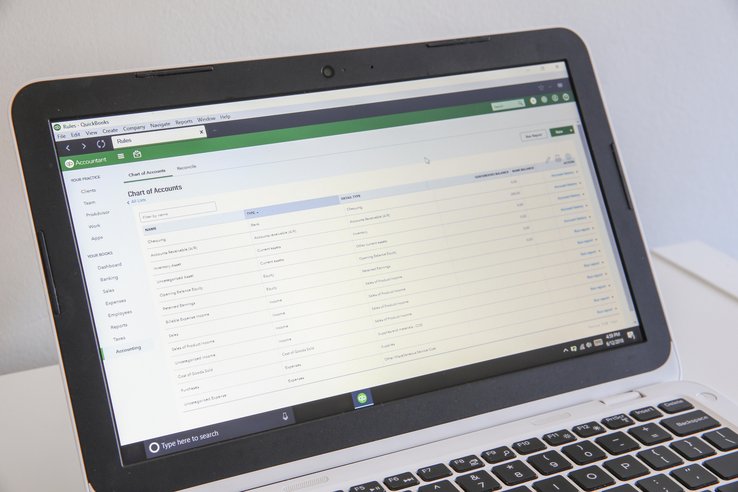
Cost codes should never be added as new accounts on your General Ledger (GL); doing so will completely destroy your Profit and Loss (P&L) statement. Instead, cost codes map to “Items” or “Products and Services” in standard accounting software like QuickBooks. Your Chart of Accounts handles the broad financial categories (e.g., Cost of Goods Sold: Materials), while your cost codes act as a sub-ledger that breaks that single GL account down into job-specific details (e.g., Lumber, Concrete, Paint).
How should I handle change orders in my tracking system?
Never alter, rename, or delete your original project cost codes to accommodate a change order. Mixing change order expenses with your baseline budget makes it impossible to see if your original estimate was accurate. Instead, create a distinct sub-project or a new set of dedicated codes specifically for the approved change order. This isolates the new labor and material costs, ensuring you can bill for the exact variance without muddying your primary Work in Progress (WIP) reporting.
How can I prevent field crews from using a “Miscellaneous” cost code?
The most effective way to eliminate miscellaneous data dumping is to remove the “Miscellaneous” or “General” code from your mobile time-tracking app entirely. If an expense does not fit a specific trade code (like framing or drywall), it usually belongs in Division 01 (General Requirements), which covers indirect site costs like temporary power, equipment maintenance, or site cleanup. Restrict field dropdown menus to 5 to 10 trade-specific codes so crews are forced to select an accurate description of their work.
References & Additional Resources
- Construction Financial Management Association (CFMA). A professional association dedicated to providing financial managers in the construction industry with the benchmarking data and educational resources needed to optimize firm-wide performance and fiscal oversight.
- Construction Specifications Institute (CSI) – MasterFormat. The primary authority for the MasterFormat standard, which provides the numerical framework contractors use to categorize cost codes and organize project data across all phases of construction.
- Associated General Contractors of America (AGC). A leading trade association providing industry-wide economic analysis and best practices for risk management, with particular relevance for contractors navigating complex lending and bonding requirements.
Related Guides

A construction cost code is a standardized numerical identifier used to categorize and track specific labor, material, and equipment expenses.…

Job costing is an accounting method that enables contractors and construction companies to track, budget, and manage the costs associated…

Labor burden is the added expense a company pays on top of employee wages to cover benefits, taxes, and other…

Retainage is the portion of a contract price (typically 5% to 10%) intentionally withheld from progress payments until a project…
The best construction accounting software in 2026 are QuickBooks Online for small contractors, CrewCost for growing and midmarket construction businesses,…